Create and apply image filters using Godot's GLSL dialect.
| build-template | ||
| dist | ||
| examples | ||
| scenes | ||
| src | ||
| .gitattributes | ||
| .gitignore | ||
| export_presets.cfg | ||
| icon.png | ||
| icon.png.import | ||
| LICENSE | ||
| project.godot | ||
| README.md | ||
| screenshot.png | ||


Fragmented
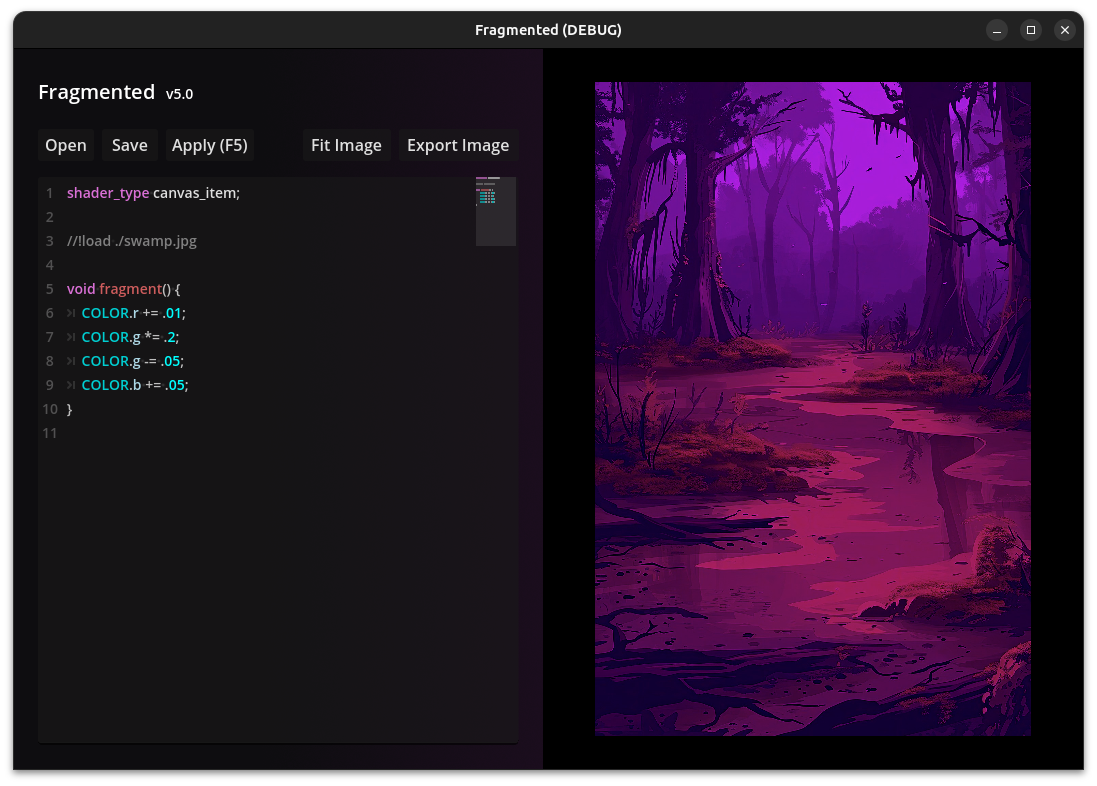
Create image filters by writing shaders.
Supported Platforms
- Linux
You can find the latest releases here.
Usage
The repo includes examples. You can use them as a starting-point to write your own filters.
Just load an image using //!load, edit the shader code and hit F5 to see the changes.
Load TEXTURE using the //!load directive
//!load <filepath>
The image file will be read and available as the TEXTURE variable.
Load additional images
//!load+ <name> <filepath>
uniform sampler2D <name>;
Have a look at the mix.gdshader example:
shader_type canvas_item;

//!load ./swamp.jpg

//!load+ img2 ./overlay.jpg
uniform sampler2D img2: repeat_enable, filter_nearest;

void fragment() {
	COLOR = mix(COLOR, texture(img2, UV), .2);
}